What it does
Live Vocal Walkie Talkie Effect
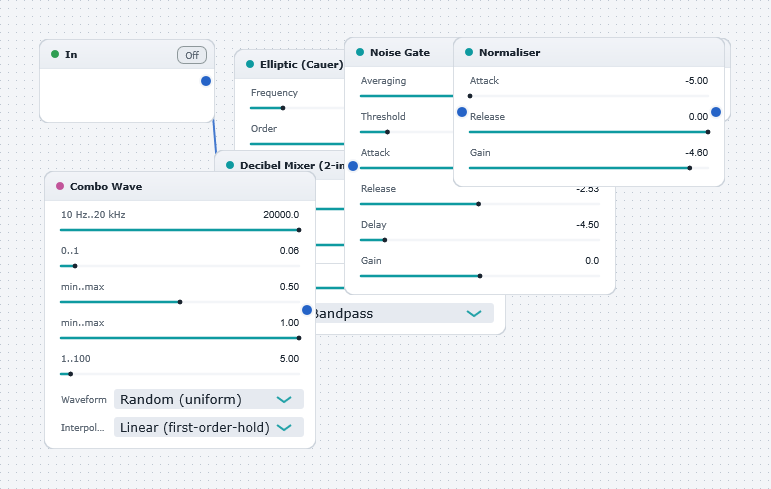
Demonstrates the use of WaveWarp's live input functionality, digital filtering, dynamic range processing, and signal generators. Plug a microphone (or any other audio source!) into the "input" of your soundcard, hit "Play", and start speaking. You will hear a "walkie talkie" type of effect on your voice. This effect is created by first adding noise (via the Combo Wave Generator) to simulate the "static" which is typical of small radio sets. Next, narrow-band filtering (via the IIR band-pass filter) is used to simulate the limited bandwidth of the radio set. The signal is then passed through a noise gate to simulate the on-off switching of the walkie talkie. The normaliser is used to boost the output signal to the maximum level.
Experiment with all settings and with different input sources!