WaveWarp is a live drawing board for audio: drag blocks onto a canvas, wire them
together, and the sound flows through your chain in real time — one sample at a time. The same idea,
from a 1998 classic to a modern, cross-platform revival.
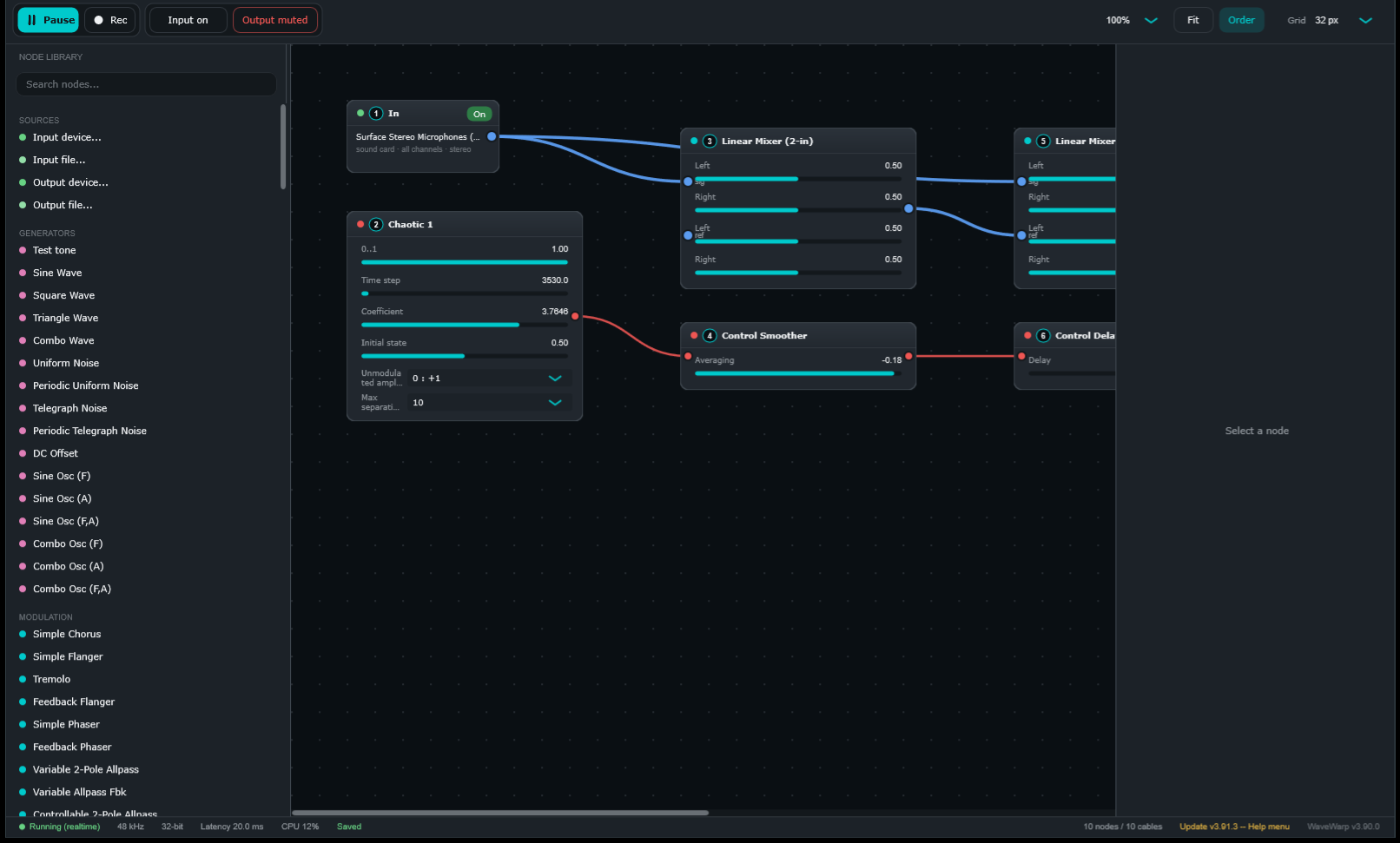
WaveWarp DrawingBoard, 2026. A searchable node library, a live board running as you
draw it, colour-coded blocks and cables — audio in blue, control in red.
One idea that never changed
Every block does one thing to sound — read a sound card, apply an effect, mix, measure, record.
The cable between two blocks is the audio flowing from one to the next. You literally draw
your own signal path, and you hear it run in real time as you build it.
Under the hood, WaveWarp processes one sample at a time. That is what makes true,
sample-accurate feedback loops possible — and it has been the beating heart of WaveWarp since day one.
Every block wears its type as a colour, and every cable its signal — the same
convention as the app:
A WaveWarp board today. A stereo input feeds a mixer while a chaotic generator
(red control cable) modulates an effect — running as you edit it.
1998 → today
The journey
WaveWarp began as a commercial Windows product from Sounds Logical, went quiet for two decades,
and came back rebuilt from the ground up.
1998 – 2002 · Sounds Logical
The original WaveWarp
Yusuf Jafry and Pepijn Sitter began building WaveWarp in 1998 under their company
Sounds Logical. A Windows workbench and a DirectX effect host in one, it shipped with a
Component Library of effects, a live message window, transport controls and parameter windows —
and it earned an Electronic Musician 2001 Editors' Choice.
WaveWarp 2.0.4 — the splash, complete with its Editors' Choice badge.A boxed product. WaveWarp shipped as commercial software.
The workbench
Everything on one screen
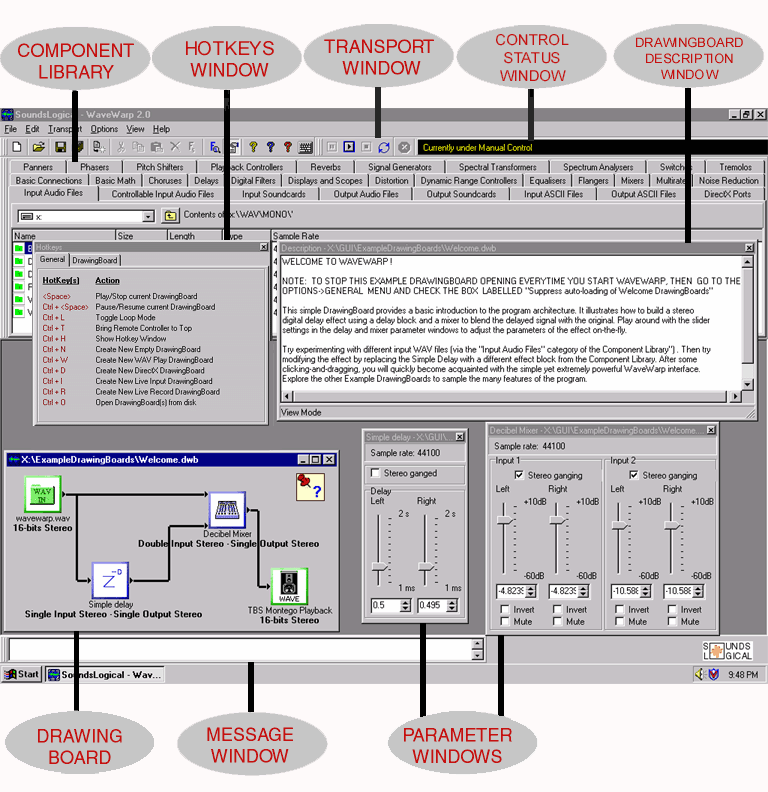
The Component Library on the left, a hotkeys window, a transport window, the drawing board, and
floating parameter windows for every block. It looked like Windows 98 — because it was.
WaveWarp 2.0, annotated. The drawing board sits centre-stage; parameter
windows for a delay and a mixer float alongside it.
A real board, 1998-style
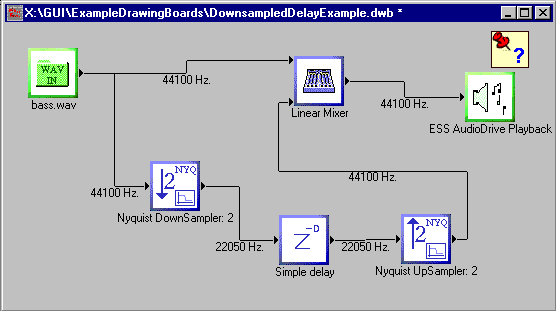
The same graph, 27 years ago
A WAV input fanned into a down-sampler, a delay and an up-sampler, then merged and played out —
mixing sample rates on one board. Different chrome, identical concept to the board at the top of
this page.
A multi-rate board in the original WaveWarp. Sources, effects and outputs
wired on a canvas — the drawing board, then.
The plugin story
A board inside your recording software — via DirectX
Before VST took over Windows, the way a plugin got into Sound Forge, Cool Edit, Cakewalk or
WaveLab was DirectX — Microsoft's DirectX Media Objects. WaveWarp could hand any board
to such a host through two dedicated I/O blocks, and shipped a whole folder of boards
pre-converted to prove it. Those boards said so themselves, in capitals, in their own
on-screen description: any drawing board at all could be a DirectX plugin, not just the
ones in that folder.
DirectX audio plugins no longer exist. The format was superseded and the hosts moved on,
so those boards became a category about a format instead of about sound — and in 2026 WaveWarp
retired them. The promise itself survived intact: the modern build ships a VST3/AU plugin
that hosts a complete board, and inside a DAW its input and output blocks bind to the host's
bus. Any board is still a plugin; only the letters on the socket changed.
2002 – 2025
Quiet years
Sounds Logical wound down and WaveWarp went dormant. The source survived — and the core idea
kept its pull.
2026 · The revival
Rebuilt, modern, and yours everywhere
On 30 July 2026, Pepijn pulled the original source out of storage and started
WaveWarp 3.0. One modern C++ engine now drives the same core into three homes: the cross-platform
DrawingBoard desktop app, a full VST3 / AU plugin that drops a whole board onto a track
in your DAW, and a mobile player on Android. The workbench was redrawn from scratch — a
searchable node library down the side, an Inspector for the selected block, blocks
grouped by category and colour, and a clean light/dark theme. A free account keeps your boards
and impulses in the cloud, so the same board plays everywhere.
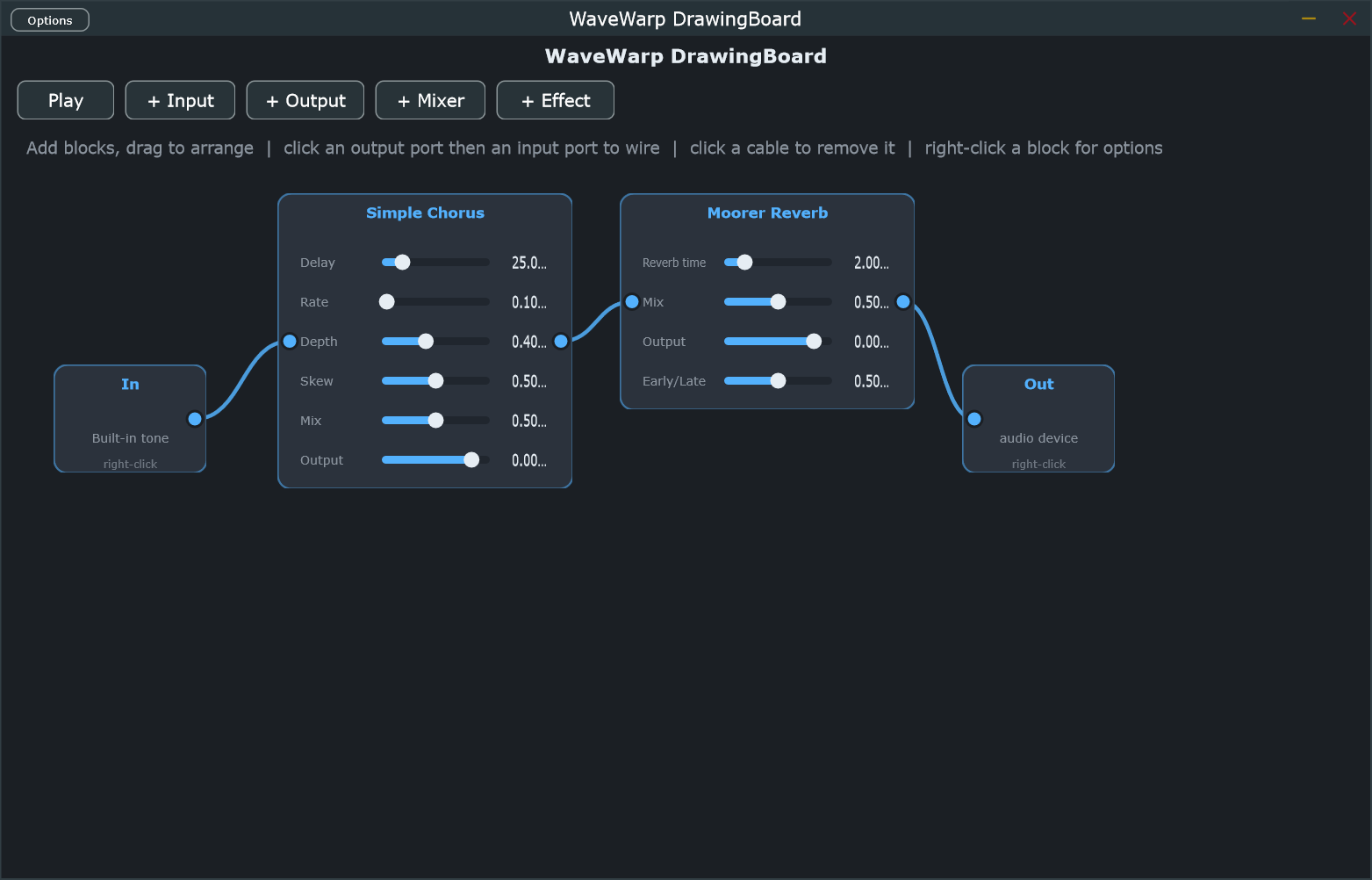
WaveWarp today. The redrawn workspace — node library, Inspector, categorised
blocks and a live board — with cloud boards, multi-device and multi-channel audio at its heart.
Then & now
Same soul, new body
1998
Windows-only. A boxed DirectX host and standalone app, one machine, floating
parameter windows.
2026
Cross-platform & cloud. Desktop + phone, a redrawn themed UI, blocks colour-coded
by category, audio and control cables told apart, boards synced to your account.
The 2026 build
What the revival adds
Everything the original could do, plus the things a modern machine — and a phone — make possible.
Sample-accurate engine
The per-sample core is intact, so feedback loops behave exactly right — no block-processing shortcuts.
Multi-device & multi-rate
Record from one interface and play out of another — different clocks and sample rates on one board.
Up to 16 channels
Cables carry a bus, not just one channel. Split, process and merge from mono to surround.
A full plugin in your DAW
WaveWarp runs as a complete VST3 / AU plugin: drop a whole board onto a track, wired to the host's
audio in and out, and shape it like any other effect.
Subgraphs
Bundle a busy patch into one tidy block, dive in to edit, pop back out — wiring intact.
Free account, everywhere
Boards and impulses live in your account and autosave. Draw on the desktop, play the same board on your
phone. Sign in through your browser — and a signed-in machine keeps working offline for a month.
Sound you can draw, and hear in real time — processed one sample at a
time — now open where the original was closed, on every device you own.
The stock library
Explore the boards WaveWarp ships with
Every example DrawingBoard — from single effects to whole synths and live-input rigs — with a real
screenshot, the effects it uses, whether it plays on the mobile app, and how the original documented
it back in 1998.
The whole WaveWarp effect library — delays, reverbs, filters, dynamics, modulation, signal generators
and the control-rate math that drives them. Each block shows what it does, its parameters, the boards
it appears in, and — where we still have it — its original 1998 icon.
Draw on Windows with the DrawingBoard app or the VST3 / AU plugin in your DAW, and play the boards you
draw straight from your phone. A free account ties them together.