← All boards
Signal Visualisation

Audio Oscilloscope

Plays on the mobile app
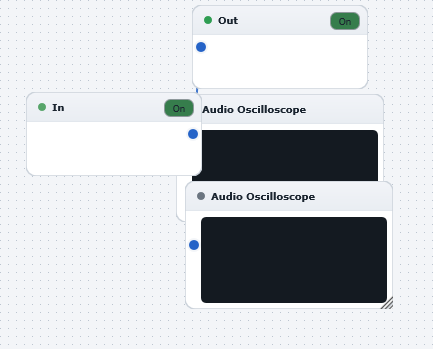
The Audio Oscilloscope board in the WaveWarp DrawingBoard
Audio Oscilloscope — the board as it opens in the WaveWarp DrawingBoard.

What it does

Audio Oscilloscope

Illustrates the use of the Audio Oscilloscope block for real-time visual display of the waveform as it plays. You have control over the time-base (via the X-scale slider) and the amplitude scale (the Y-scale slider). In this example, the first scope is set to a large time-base (2.26 sec) in order to reveal the broad structure of the waveform. The second scope is set to a short time-base (0.02 sec) in order to reveal the rapid temporal fluctuations.

Try experimenting with all settings and with different audio sources.

Effects used

4 blocks 3 connections
In WaveWarp, 1998

How the original documented it

Audio Oscilloscope Illustrates the use of the Audio Oscilloscope block for real-time visual display of the waveform as it plays. You have control over the time-base (via the X-scale slider) and the amplitude scale (the Y-scale slider). In this example, the first scope is set to a large time-base (2.26 sec) in order to reveal the broad structure of the waveform. The second scope is set to a short time-base (0.02 sec) in order to reveal the rapid temporal fluctuations. Try experimenting with all settings and with different audio sources.

Components used (1998)

Output Single-Mono WAVE DriverAudio OscilloscopeInput WAV fileAudio Oscilloscope