← All boards
Live Inputs

Live Guitar Stereo Tremolo_2

Plays on the mobile app
The Live Guitar Stereo Tremolo_2 board in the WaveWarp DrawingBoard
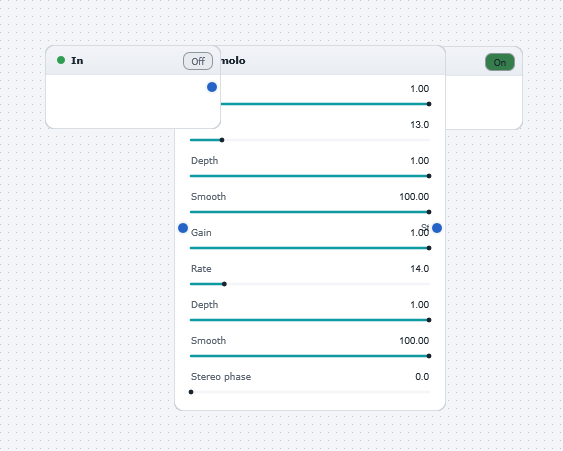
Live Guitar Stereo Tremolo_2 — the board as it opens in the WaveWarp DrawingBoard.

What it does

Live Guitar Stereo Tremolo

Demonstrates the use of WaveWarp's live input functionality. Plug an electric guitar (or any other audio source!) into the "input" of your soundcard and hit "Play". You will experience the stereo tremolo sensation. By adjusting the stereo tremolo settings to be slightly different for each channel, the stereo space is greatly enhanced. In this example, the default tremolo frequencies differ by 1 Hz between the channels. This results in the pleasant "beating" sensation at 1 Hz.

Experiment with all settings and with different input sources!

Effects used

3 blocks 2 connections
In WaveWarp, 1998

How the original documented it

Live Guitar Stereo Tremolo Demonstrates the use of WaveWarp's live input functionality. Plug an electric guitar (or any other audio source!) into the "input" of your soundcard and hit "Play". You will experience the stereo tremolo sensation. By adjusting the stereo tremolo settings to be slightly different for each channel, the stereo space is greatly enhanced. In this example, the default tremolo frequencies differ by 1 Hz between the channels. This results in the pleasant "beating" sensation at 1 Hz. Experiment with all settings and with different input sources!

Components used (1998)

Output Stereo WAVE DriverSimple TremoloInput Single-Mono WAVE Driver