← All boards
Audio Effects › Dynamic Range Control

Audio Limiter

Plays on the mobile app
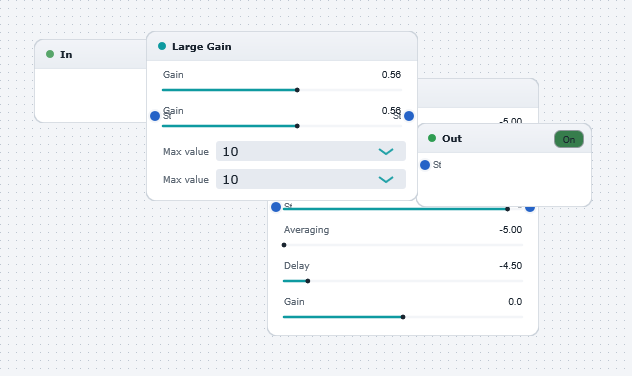
The Audio Limiter board in the WaveWarp DrawingBoard
Audio Limiter — the board as it opens in the WaveWarp DrawingBoard.

What it does

Audio dynamic range limiter.

As an illustrative example, the input audio is intentionally over-driven by the Large gain block. This produces a signal with an amplitude in excess of 0 dB which will cause extreme distortion at the output (recall that there is no "headroom" with digital signals). You can hear this distortion by momentarily connecting the output of the mixer directly to the output device (MAKE SURE THAT THE VOLUME IS DOWN LOW!)

The limiter ensures that the audio amplitude will not exceed the user-defined threshold. It works by measuring the peak and applying a logarithmic automatic gain control to the signal, based on the peak measurement. We recommend that you always place a limiter before the ouput device when experimenting with new effects.

Effects used

4 blocks 3 connections
In WaveWarp, 1998

How the original documented it

Audio dynamic range limiter. As an illustrative example, the input audio is intentionally over-driven by the Large gain block. This produces a signal with an amplitude in excess of 0 dB which will cause extreme distortion at the output (recall that there is no "headroom" with digital signals). You can hear this distortion by momentarily connecting the output of the mixer directly to the output device (MAKE SURE THAT THE VOLUME IS DOWN LOW!) The limiter ensures that the audio amplitude will not exceed the user-defined threshold. It works by measuring the peak and applying a logarithmic automatic gain control to the signal, based on the peak measurement. We recommend that you always place a limiter before the ouput device when experimenting with new effects.

Components used (1998)

Input WAV fileAudio Look-ahead LimiterOutput Stereo WAVE DriverLarge gain