What it does
Additive Synthesis Example 3
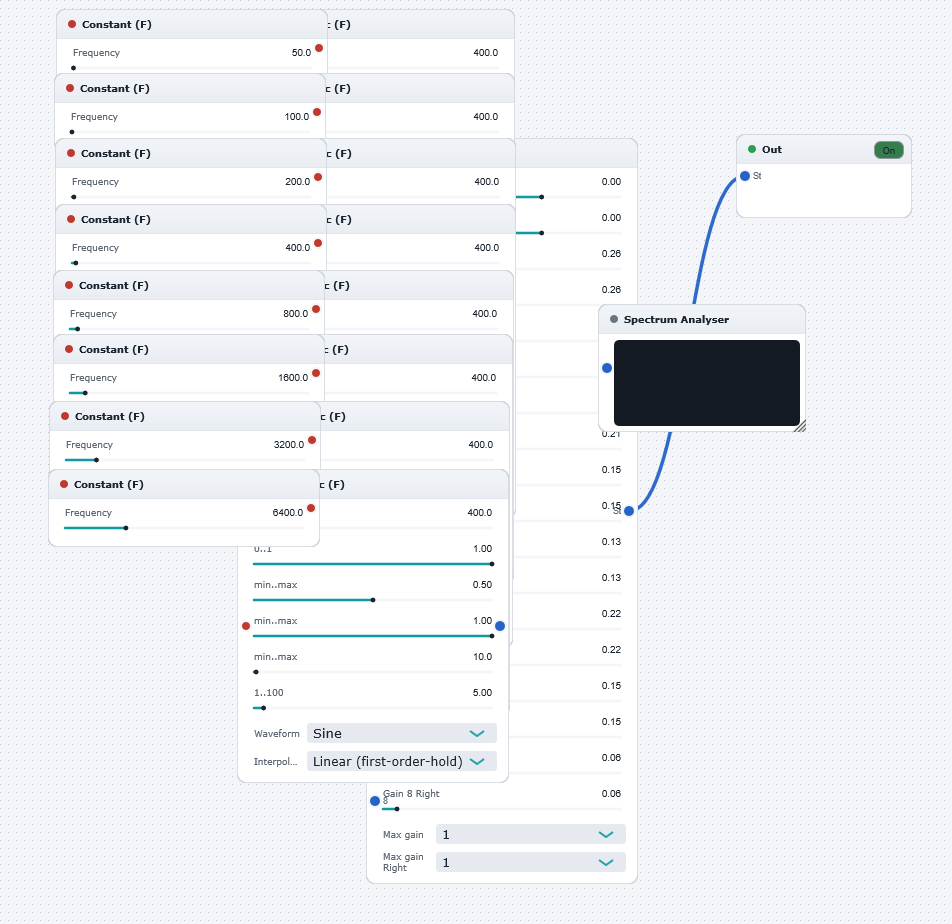
Same as "AdditiveSynthesisExample1" but utilising frequency-controllable oscillators for smooth variation of individual oscillator frequencies. The frequencies can be adjusted on-the-fly via the respective sliders in the Constant Control Generators.
Illustrates the method of combining single oscillators (the orange blocks) to create a spectrally rich output (i.e. "additive synthesis"). Each oscillator generates a tone at a user-defined frequency and amplitude. In this example, the default tones are all sinusoidal, with each tone separated in frequency by a factor of two from the previous (specifically, the preset frequencies are 50,100,200,400,800,1600,3200, and 6400 Hz, respectively, representing the harmonics of a generic musical instrument). The amplitudes have been arbitrarily preset (within the mixer).
Technical note: for efficiency, the waveform in each oscillator is stored in a lookup table. The entire table is changed each time the amplitude of the waveform is adjusted via the sliders. This can cause an audible "zipper" noise. If this is undesirable, e.g. for real-time amplitude changing, then use the "amplitude controllable" versions of the WaveWarp oscillators which allow the amplitude of the oscillator to be smoothly modified (via input control signals) in real-time.
See "AdditiveSynthesisExample2,4,5" for examples utilising controllable oscillators for smooth real-time variation of amplitudes.
The Spectrum Analyser clearly displays the "spikes" corresponding to each of the eight harmonics of the signal.