What it does
Live Multichannel Input Example 1
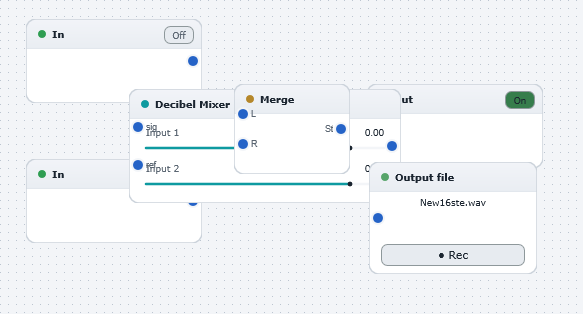
Demonstrates the use of WaveWarp's multichannel live input functionality and the powerful modular sample-by-sample architecture. Plug an electric guitar (or any other audio source!) into the "input" of your first soundcard (or the first input of your multichannel soundcard, etc) and a microphone into the "input" of your second soundcard (or the second input of your multichannel soundcard, etc), and hit "Play". Now start playing your guitar and singing (or whatever!). You will hear the mix played in real-time over the stereo output soundcard. You can adjust the mix simply by adjusting the sliders of the Decibel Mixer block. If you wish to record the mix, simply connect up the "New16ste.wav" file and hit "Play". Your live mix will now be streamed to this file.
Experiment with different input sources ! Try inserting some audio effects from the hundreds available in WaveWarp's Component Library to perform real-time live effect processing of your live inputs!