← All boards
Digital Filtering

Approximate Brick Wall Filtering2

Plays on the mobile app
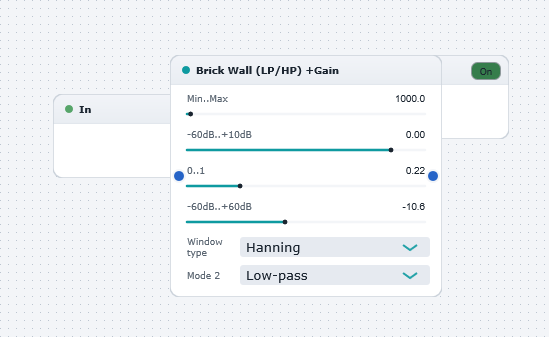
The Approximate Brick Wall Filtering2 board in the WaveWarp DrawingBoard
Approximate Brick Wall Filtering2 — the board as it opens in the WaveWarp DrawingBoard.

What it does

Approximate brick-wall filtering 2

Illustrates the use of the Brick Wall 1 block for performing low-(high)-pass filtering. The block is implemented by approximate brick-wall filtering in the frequency domain (i.e. by directly wieghting the values in the FFT bins within the rejection band by the chosen gain). This simple technique is highly efficient but introduces spectral distortion and artefacts. However, for many musical purposes, the distortion is not noticable... or may even be useful when creating special effects!

Experiment with all settings to explore the behaviour of this versatille component.

Note: if you need to perform accurate low-(high)-pass filtering without adding spectral distortion, you can choose from WaveWarp's wide range of Digital Filter components.

Effects used

3 blocks 2 connections
In WaveWarp, 1998

How the original documented it

Approximate brick-wall filtering 2 Illustrates the use of the Brick Wall 1 block for performing low-(high)-pass filtering. The block is implemented by approximate brick-wall filtering in the frequency domain (i.e. by directly wieghting the values in the FFT bins within the rejection band by the chosen gain). This simple technique is highly efficient but introduces spectral distortion and artefacts. However, for many musical purposes, the distortion is not noticable... or may even be useful when creating special effects! Experiment with all settings to explore the behaviour of this versatille component. Note: if you need to perform accurate low-(high)-pass filtering without adding spectral distortion, you can choose from WaveWarp's wide range of Digital Filter components.

Components used (1998)

Input WAV fileOutput Single-Mono WAVE DriverBrick Wall 2